In the complex world of textile screen printing, control is the key to success. One of the most critical, yet often underestimated variables within the printing process is squeegee pressure. The ink deposit thickness, opacity, fabric penetration, and ultimately color consistency all depend on how the squeegee hits the mesh and forces the ink through it. In an industrial setting where thousands of shirts roll down the belt every day, the slightest deviation can lead to significant problems. This is where ROQ introduces a groundbreaking solution: the ROQ LEVEL. This digital precision instrument eliminates guesswork and ensures a perfectly calibrated squeegee pressure.
The Holy Trinity of Screen Printing: Pressure, Angle, and Speed
To truly understand the importance of the ROQ LEVEL, we must first look at the mechanics of screen printing. There are three main factors that determine ink transfer: the angle of the squeegee, the speed of the print stroke, and the pressure applied to the screen. While speed and angle can be set relatively easily and with fixed parameters on modern automatic screen printing presses like the ROQ NEXT or ROQ ECO, the physical pressure exerted by the squeegee bridge across the entire width of the design remains a challenge. The squeegee must exert just enough pressure to bring the mesh into contact with the fabric (overcoming the off-contact distance) and to “shear” the ink across the emulsion, without applying too much force that would cause the ink to smudge or bleed.
The Dangers and Costs of a Misaligned Squeegee Bridge
When adjusting the squeegee bridge traditionally and manually, the operator often has to rely on sight or “fingertip feel.” The bridge is lowered, the operator checks if the rubber touches the screen evenly, and tweaks the adjustment knobs on the left and right sides. This human guesswork almost always leads to minor but significant deviations.
What happens if the squeegee bridge is not perfectly level or exerts a higher pressure on one side?
- Color Shifting: One side of the design receives more ink than the other side. With halftones or gradients, this immediately leads to visible color differences. A soft pink tint on the left side can suddenly appear as a much more intense red on the right side.
- Dot Gain and Smudging of Fine Details: When the pressure is too high, the ink is not neatly pressed into the weave but is squeezed underneath the stencil. Fine lines merge, and halftone dots expand (dot gain), resulting in a blurry, muddy print.
- Uneven Penetration and ‘Hand Feel’: Too much pressure forces the ink deep into the fibers, which reduces the opacity on dark shirts (fibrillation) and makes the print feel rough to the touch.
- Accelerated and Uneven Wear: Both the screen (the mesh tension) and the polyurethane squeegee rubber wear unevenly. This increases your consumable costs and forces you to sharpen squeegees or restretch screens more frequently.
Introduction to the ROQ LEVEL: Digital Precision
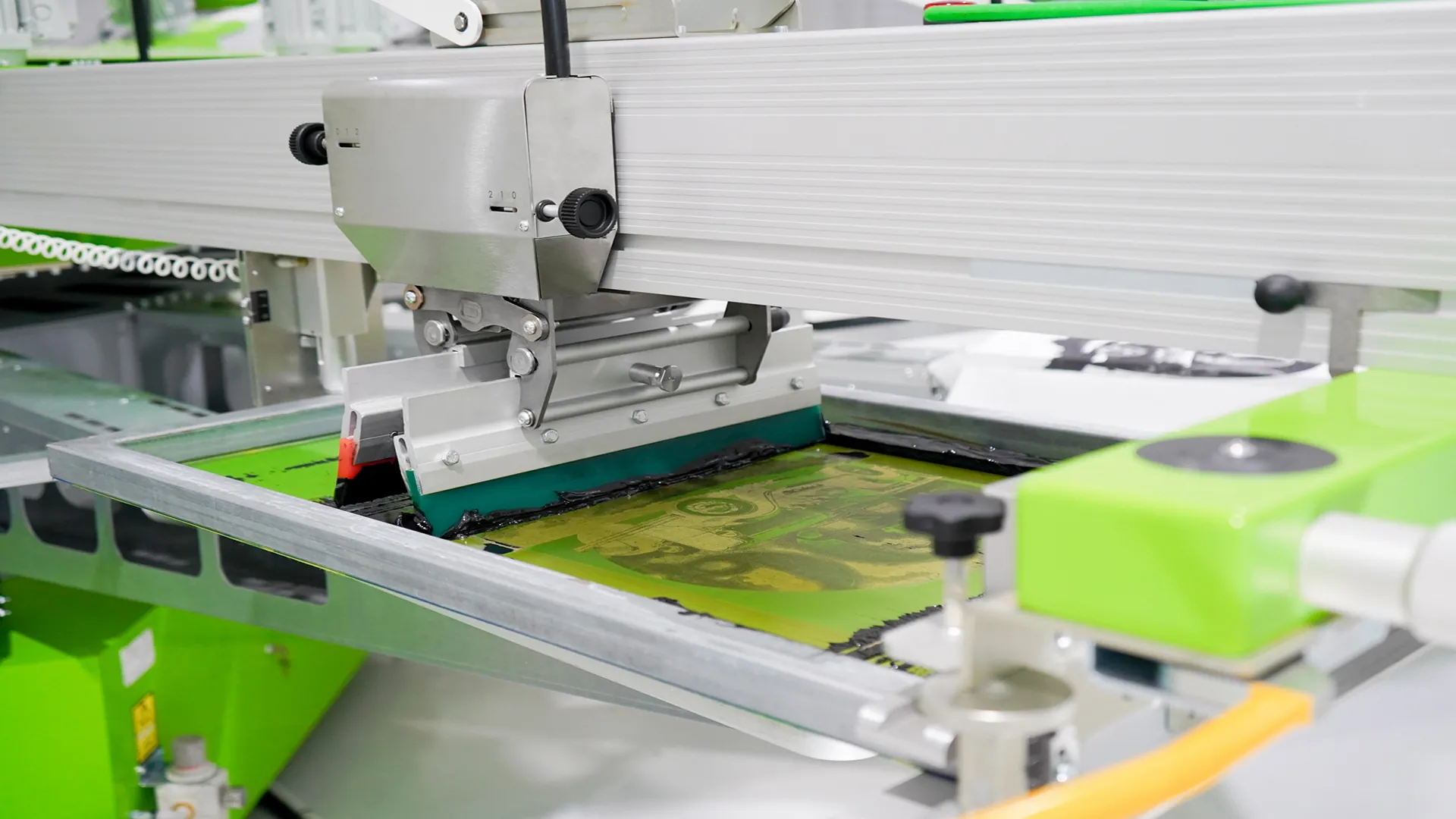
To gain complete control over these variables, ROQ developed the ROQ LEVEL. This is not just a spirit level; it is a high-end, digital precision instrument designed specifically for the demanding screen printer. The ROQ LEVEL is a compact, portable module that simply snaps onto the squeegee holder of the printhead. Inside the robust aluminum housing are highly sensitive digital pressure sensors and an electronic inclinometer.
How the ROQ LEVEL Works in Practice
When the setup operator configures a new job, the ROQ LEVEL is switched on. The device reads the exact position and the force applied on both sides of the squeegee bridge in real-time. Through bright, color-coded LED indicators and a crisp digital display, the operator receives instant feedback with micrometer precision.
The calibration process is reduced to a quick, flawless routine:
- Placement: The operator attaches the squeegees and clicks the ROQ LEVEL onto the system.
- Zeroing: The squeegee is lowered to the zero point (contact with the pallet).
- Visual Feedback: The LED lights immediately indicate which side is too high or too low, or where the pressure is too high.
- Fine-Tuning: The operator turns the micrometric adjustment screws on the ROQ printhead until the ROQ LEVEL gives a perfect “green” light on both sides and the display shows a 100% equal pressure value.
- Locking: The setting is locked in, and the printhead is ready to deliver thousands of perfect prints.
Within seconds, and without wasting any test prints, the squeegee is perfectly aligned.
The Hidden ROI: Why Every Printshop Needs This
Many printshops underestimate the hidden costs of poor calibration. The Return on Investment (ROI) of the ROQ LEVEL is not just in preventing misprints. First, setup time. In modern shops dealing with smaller print runs, setup time is the biggest enemy of profitability. If an operator spends 5 minutes per color trying to get the pressure right by eye through trial and error, a 6-color job already costs half an hour of pure adjustment time. The ROQ LEVEL reduces this to less than a minute per printhead. Second, spoilage. Every time a test shirt (or worse: a customer shirt) is ruined by severe dot gain or a color shift, it costs material and time. Digital calibration guarantees a “First Print Right” approach. Third, tool longevity. Squeegees that run with the perfect, minimal required pressure retain their sharp edge much longer. Screens tear less quickly because the mesh tension is not locally overloaded by a skewed squeegee.
Perfection in Repeat Jobs and B2B Production
For the modern screen printer, B2B clients and repeat jobs form the backbone of a healthy revenue stream. Think of corporate workwear, merchandise for touring bands, or fashion labels reordering their bestsellers. For these clients, brand identity is sacred: the Pantone color and the print quality of a reorder in December must match exactly, absolutely exactly, the original order from May.
Without data registration, it is virtually impossible to manually reproduce the exact same squeegee pressure six months later. The variables are just too large. Here, the ROQ LEVEL shows its true power. Because the pressure has been made exactly measurable, the screen printer can record these numerical values in the Job Management System or on the work ticket. When the repeat order comes in, the operator looks at the work ticket, mounts the squeegee, snaps on the ROQ LEVEL, and turns the adjustment screws to the exact numerical value recorded previously. The result? A 100% identical print, the same ink deposit, the exact same color build-up.
Advanced Tips for the Perfect Squeegee Setup
While the ROQ LEVEL balances pressure perfectly, you will only get the maximum out of your automatic press if you combine this with other best practices:
- Choose the Right Durometer: Even with perfectly equal pressure, a soft squeegee (e.g., 65 or 70 durometer) will deposit more ink than a hard one (80 or 90). For fine halftones and high mesh counts, combine a perfectly leveled 80 or 90 durometer squeegee with minimal pressure.
- Off-Contact Distance: Squeegee pressure and off-contact distance (the gap between screen and pallet) are communicating vessels. If the off-contact is set too high, the operator will have to unnecessarily increase the squeegee pressure to make contact with the shirt. First, ensure a correct, tight off-contact distance (often 2-3 mm) and then set the squeegee pressure with the ROQ LEVEL until the squeegee just “kisses” the fabric.
- Squeegee Maintenance: A perfectly leveled bridge is useless if the polyurethane blade itself is wavy or has dull edges. Sharpen your squeegees regularly to maintain a razor-sharp cutting edge, and rotate your squeegees to prevent them from bowing in the middle.
Conclusion: The Step from Craft to Industry
The screen printing industry is in transition. Where it used to be a pure craft, relying on the intuition and experience of the master printer, it is now evolving into a highly controlled, data-driven industrial workflow. To remain competitive, produce faster, reduce waste, and guarantee the absolute highest quality, variables must be eliminated. The ROQ LEVEL is more than a handy accessory; it is an essential piece of quality control equipment that bridges the gap between mechanical hardware and digital perfection. For printshops striving for ISO-level quality, outstanding repeat orders, and the elimination of operator errors, digital squeegee pressure calibration is not the future, but the current standard.
Want to learn more about these screen printing solutions?
Explore the technical specifications of Drucktech PHP-45 V2 Maxima and Drucktech PHP-45 2N or contact the specialists at Dimix.Screen for tailored advice or a live demonstration.
Featured & related machines
Discover the industrial systems and solutions related to this topic:
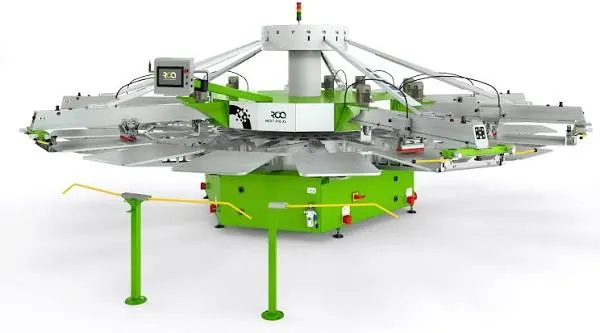
ROQ NEXT
Modern carousel press featuring independent head lift and robust dual-chain drive indexing.
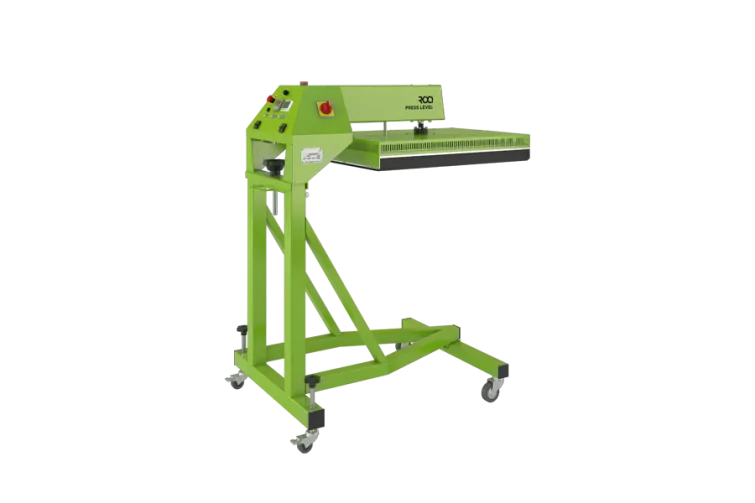
ROQ LEVEL
Digital precision calibration tool for measuring and leveling squeegee pressure across print heads.
ROQ ECO
The flagship automatic carousel with chainless direct servo drive and independently lifting print heads.